Creative LED screens
on NovaStar controllers
for Mac and Windows

From paper
to pixels.

Draw the screen on paper, take a photo, type one real size. LEDraw fills the shape with your cabinets, triangles and quarter circles included, and gives you the pixel map, the controller file, the signal and the power plan. In minutes, not an afternoon.
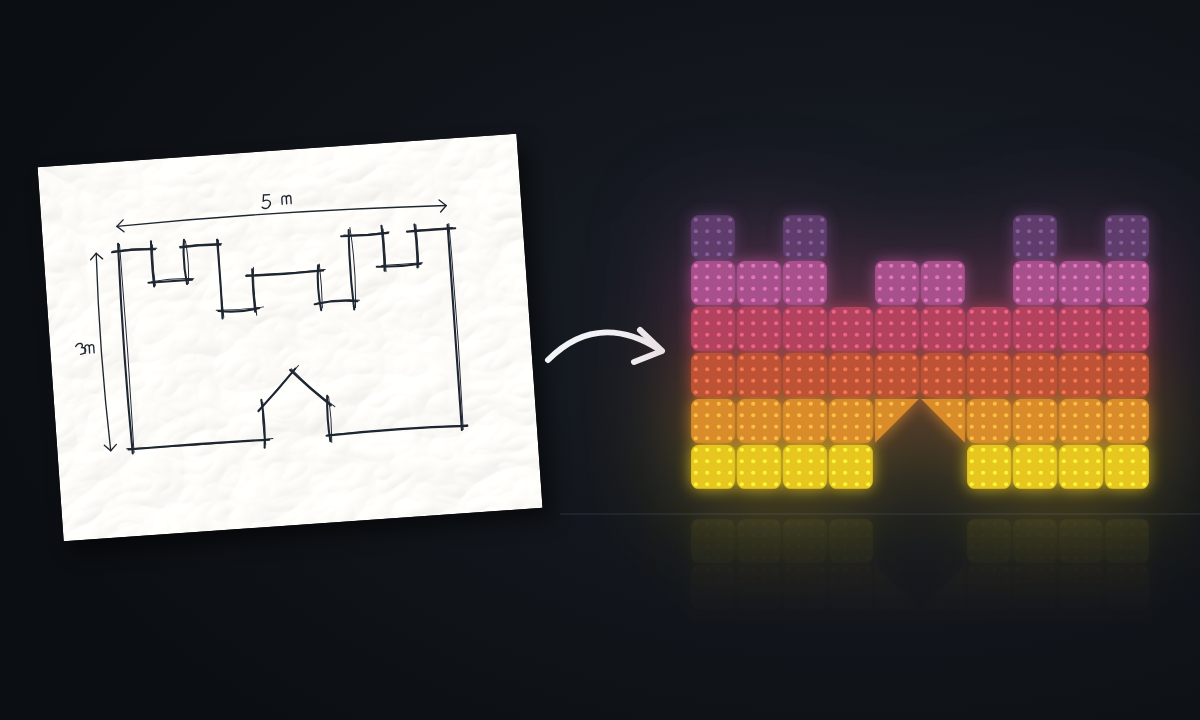
A castle screen sketched in pen on paper, 5 m wide and 3 m high, turns into the same castle built from lit LED modules

Any shape

Colour drawings, pen outlines, hatched areas, renders from the client.

Special pieces

Triangles and quarter circles get the right variant and rotation.

Cabling done

Signal and power planned and drawn for you, ready for the crew.

Mac too

Runs on macOS and Windows. Works offline at the venue.

Screens

The shapes that used to take a whole prep day.

Pixel map of a clover-shaped LED screen, every cabinet labelled with port and positionClover3 × 3 m · square cabinets + quarter circlesOpen project → Pixel map of a castle-shaped LED wall with towers, battlements and a pointed gateCastle5 × 3 m · towers, battlements, gateOpen project → Pixel map of an hourglass LED screen, two triangles meeting at the neckHourglass3.5 × 3 m · double pyramidOpen project → Signal plan of a crown-shaped LED screen with cabinets set at 45 degrees, triangles and quarter circlesCrown4.5 × 3.3 m · cabinets at 45° + triangles + quarter circlesOpen project → Signal plan of a palace-shaped LED wall with domes, towers and two wings set at 45 degreesPalace9.25 × 4 m · domes, towers, 45° wingsOpen project →

Clover · the whole project, as LEDraw built it

Close ×

300 × 300 cm

Size

768 × 768 px

Resolution

12 square · 12 quarter circle

Pieces

4

Data ports

2

Power circuits

6.6 / 6.6 / 0 A

Phases

2.9 kW

Max power

126 kg

Weight

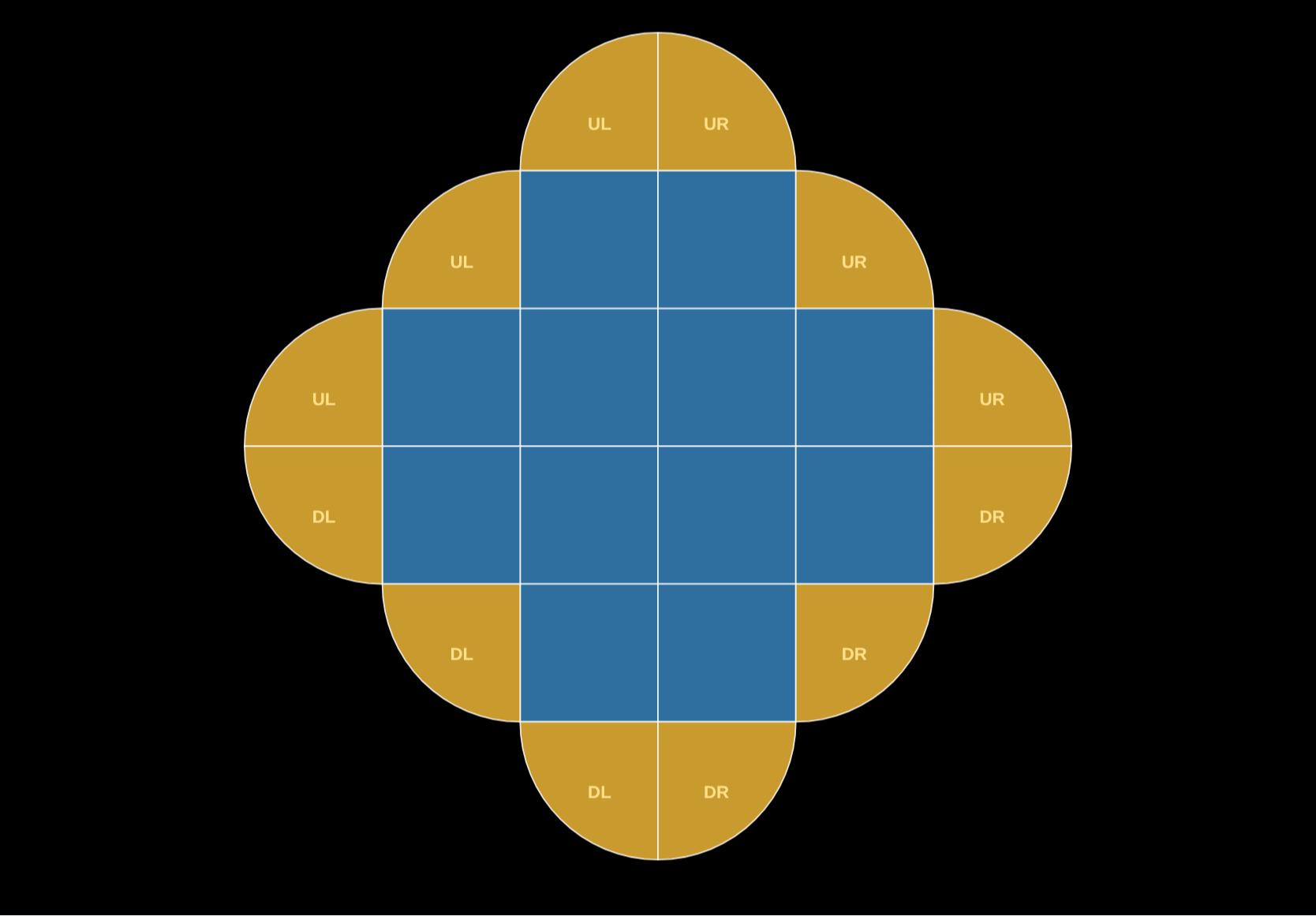
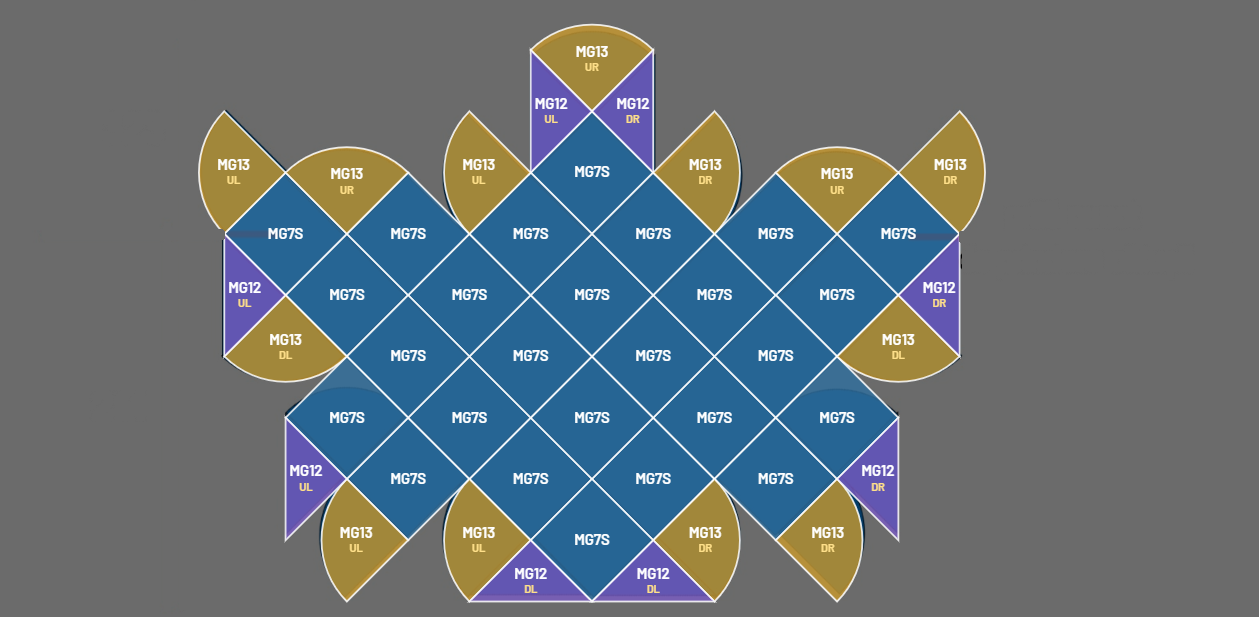
Clover, design view from LEDraw
Design: every piece and its orientation
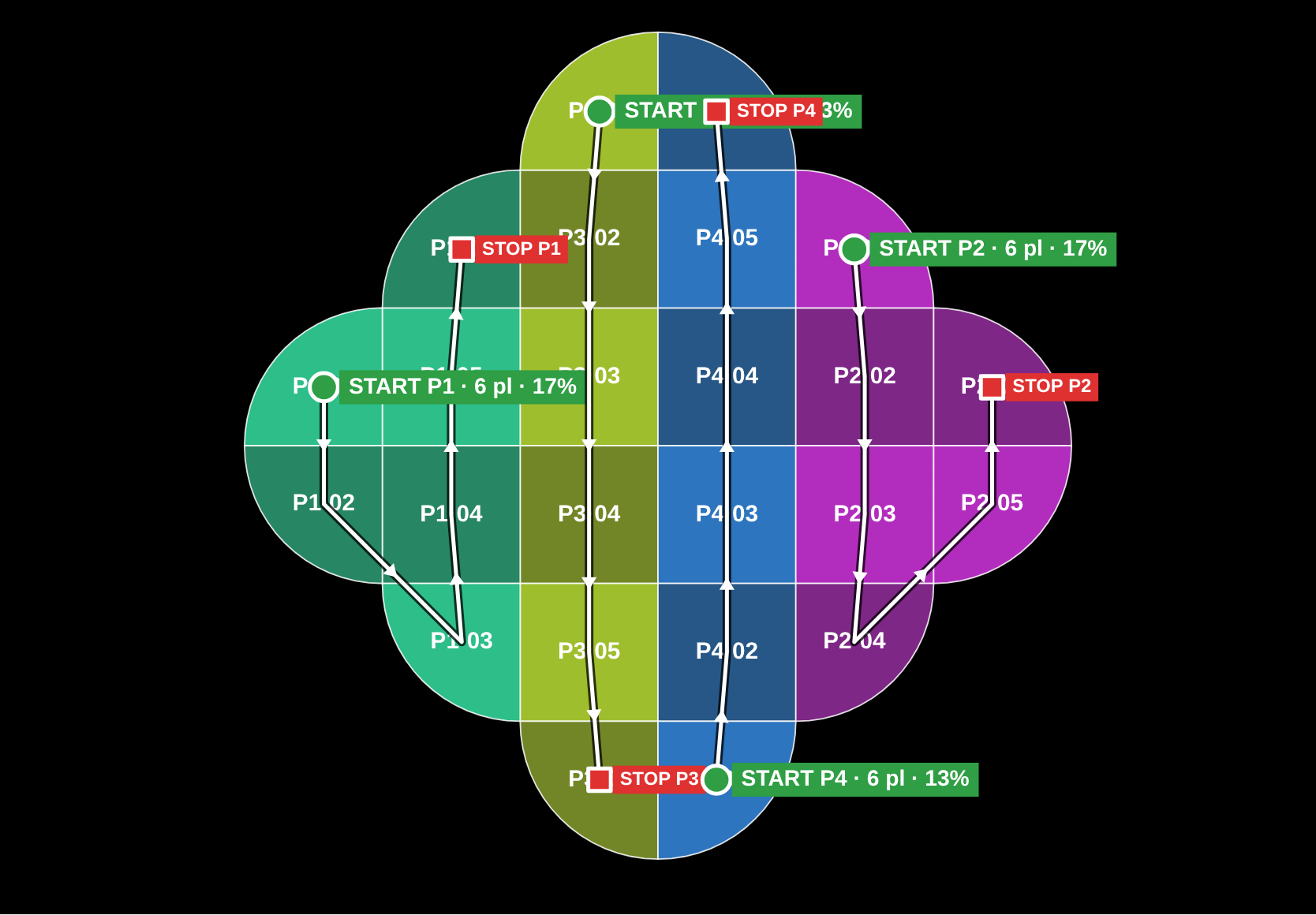
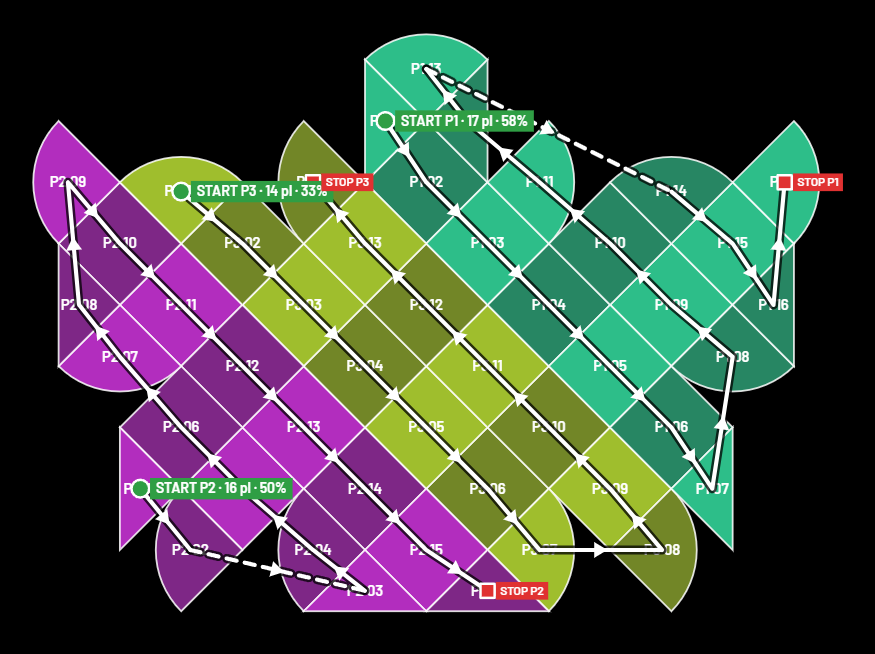
Clover, signal view from LEDraw
Signal: each data port from START to STOP
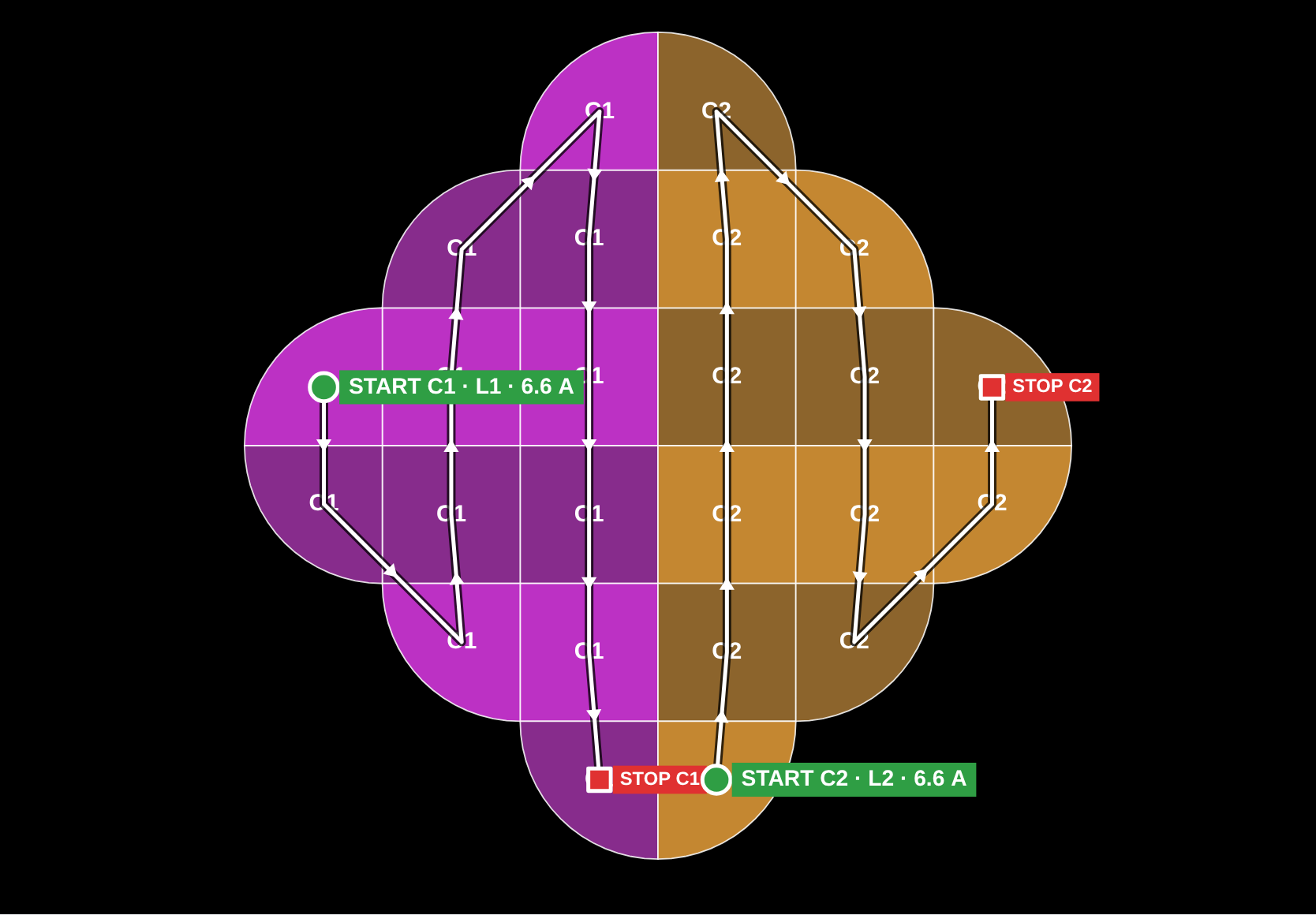
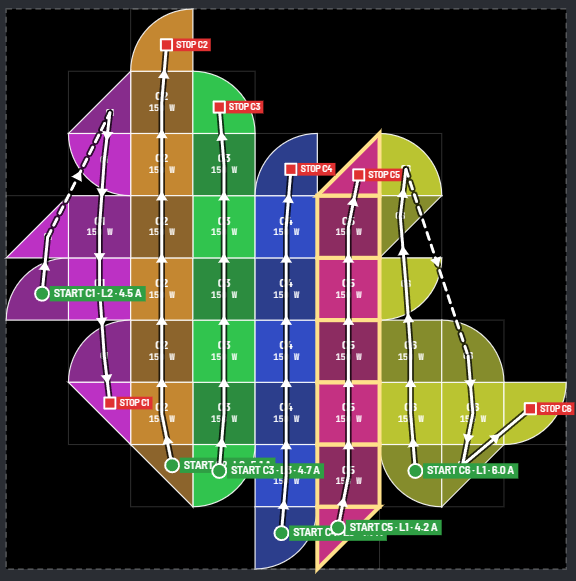
Clover, power view from LEDraw
Power: each circuit, with its phase and current
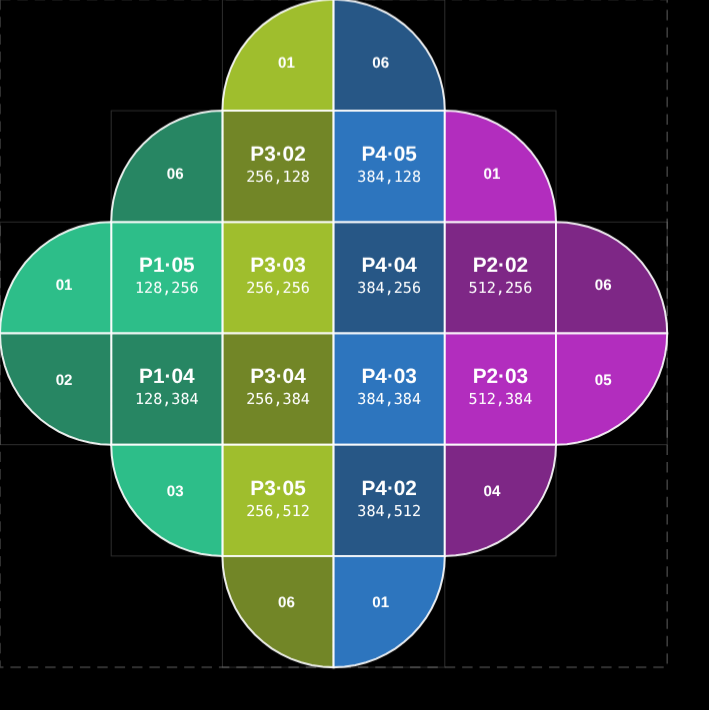
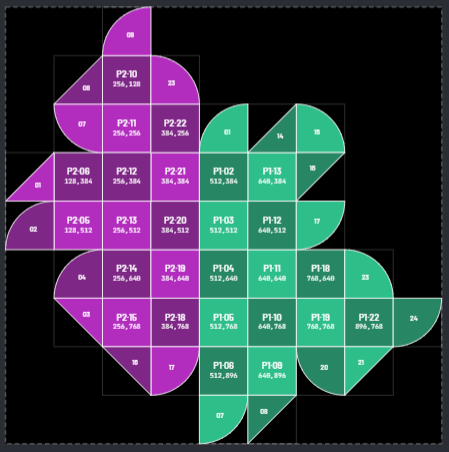
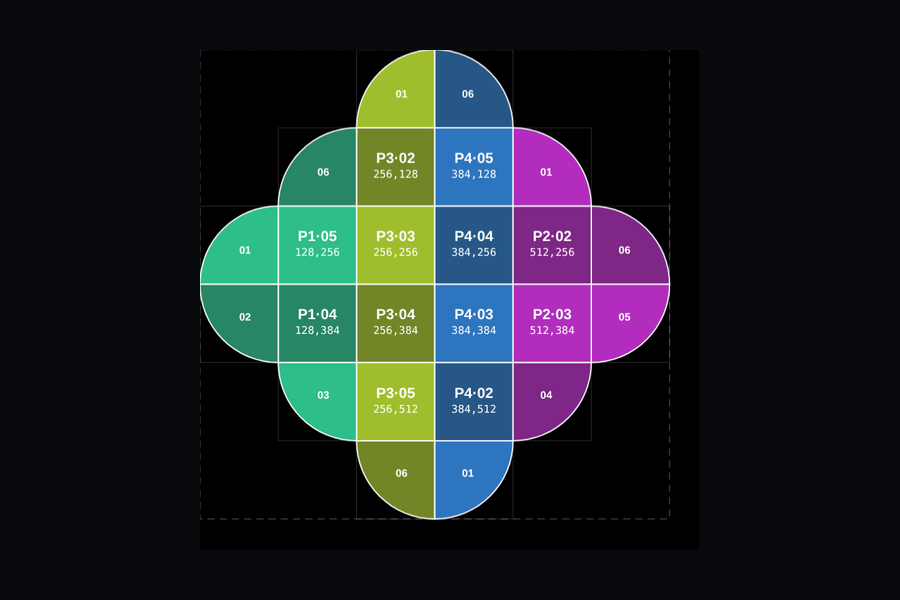
Clover, pixel map view from LEDraw
Pixel map: port, order and position of every cabinet

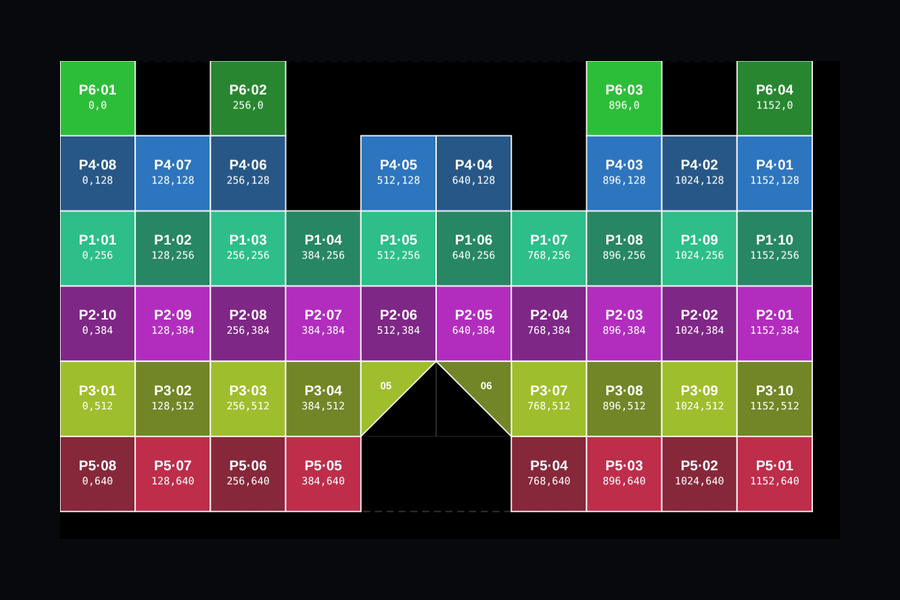
Castle · the whole project, as LEDraw built it

Close ×

500 × 300 cm

Size

1280 × 768 px

Resolution

48 square · 2 triangle

Pieces

6

Data ports

5

Power circuits

5.8 / 9.5 / 8.6 A

Phases

5.2 kW

Max power

326 kg

Weight

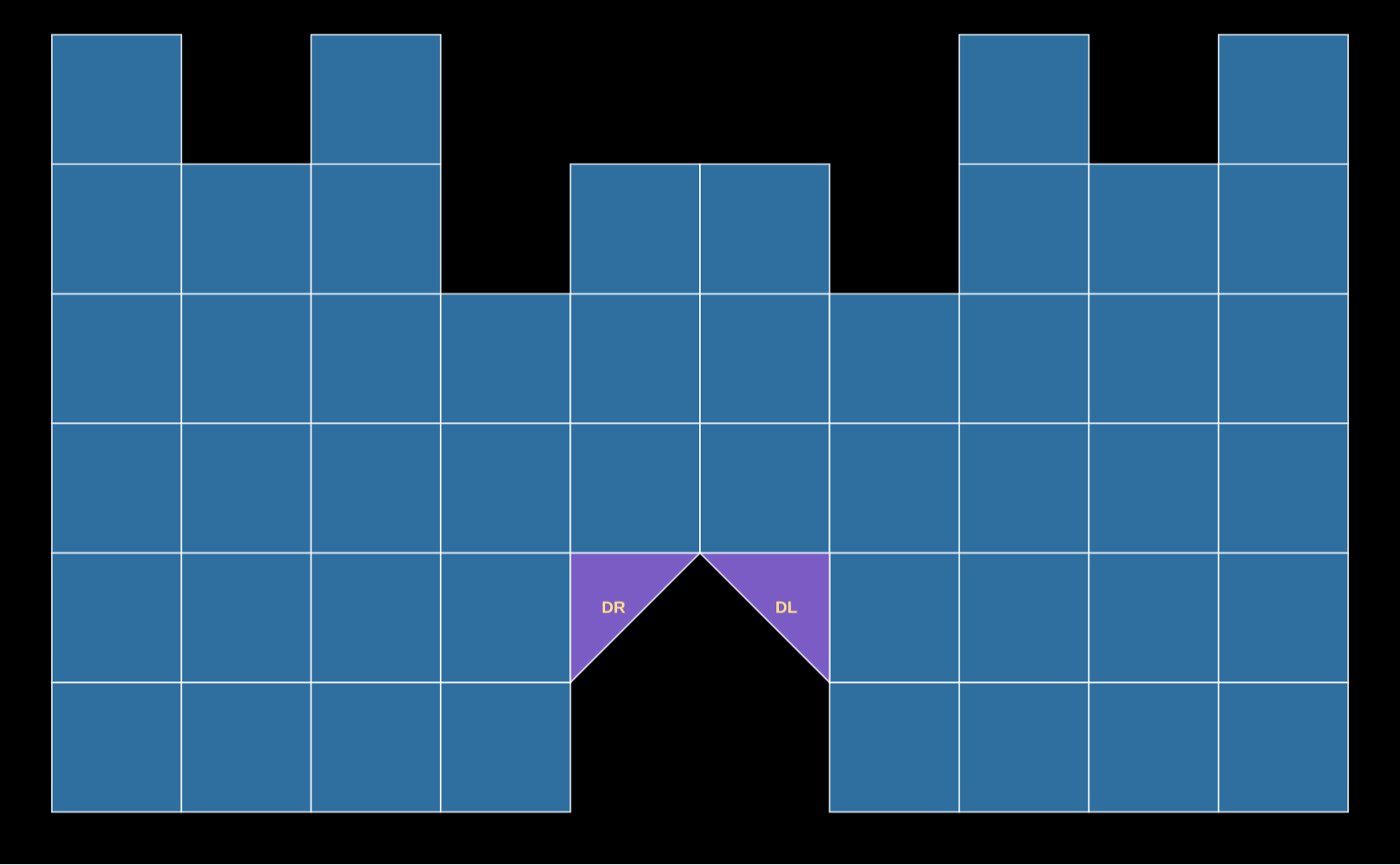
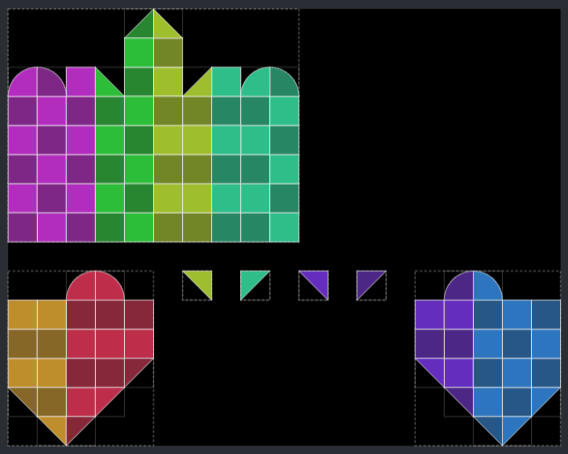
Castle, design view from LEDraw
Design: every piece and its orientation
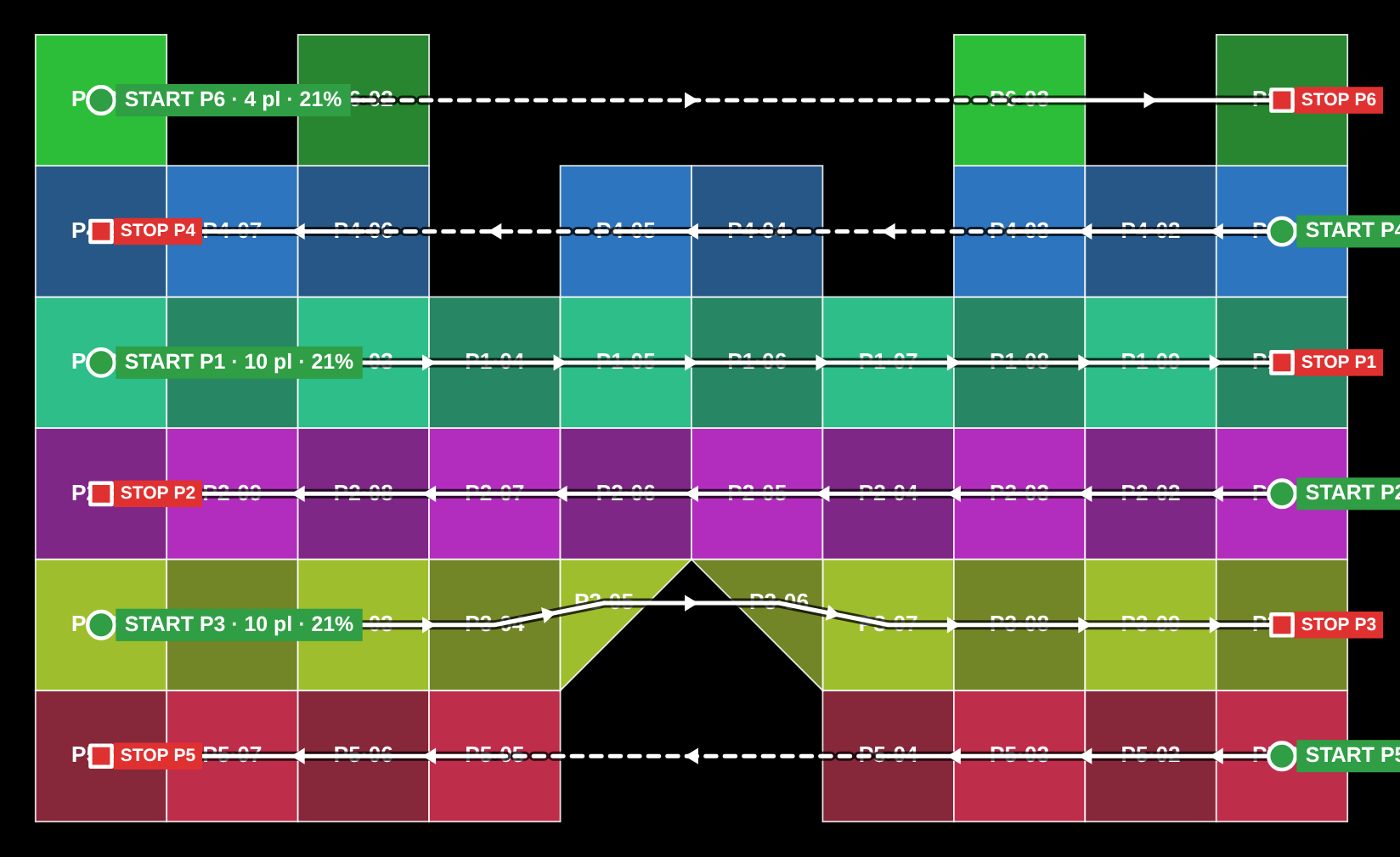
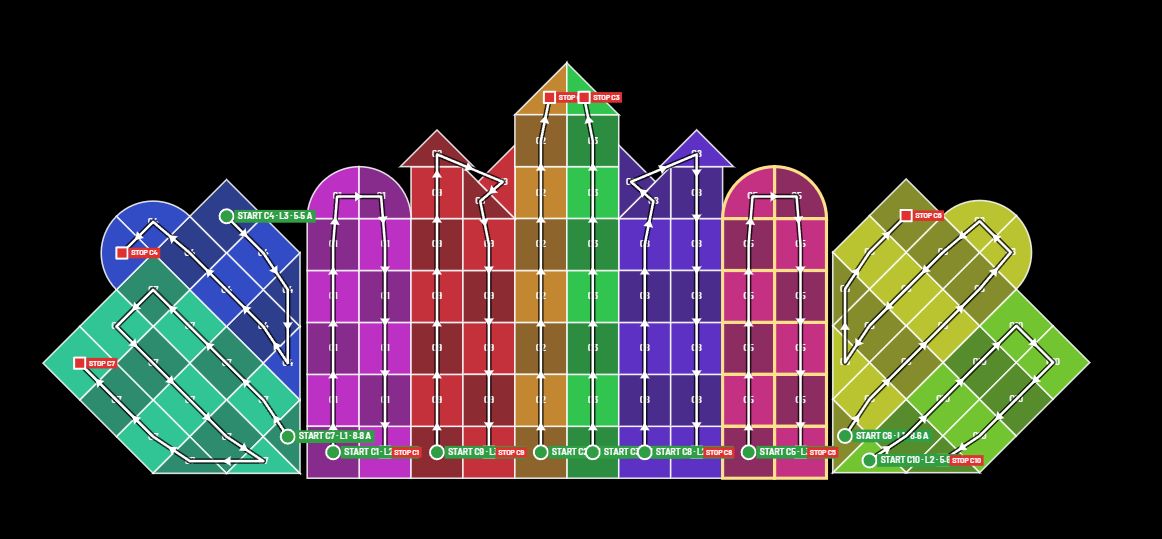
Castle, signal view from LEDraw
Signal: each data port from START to STOP
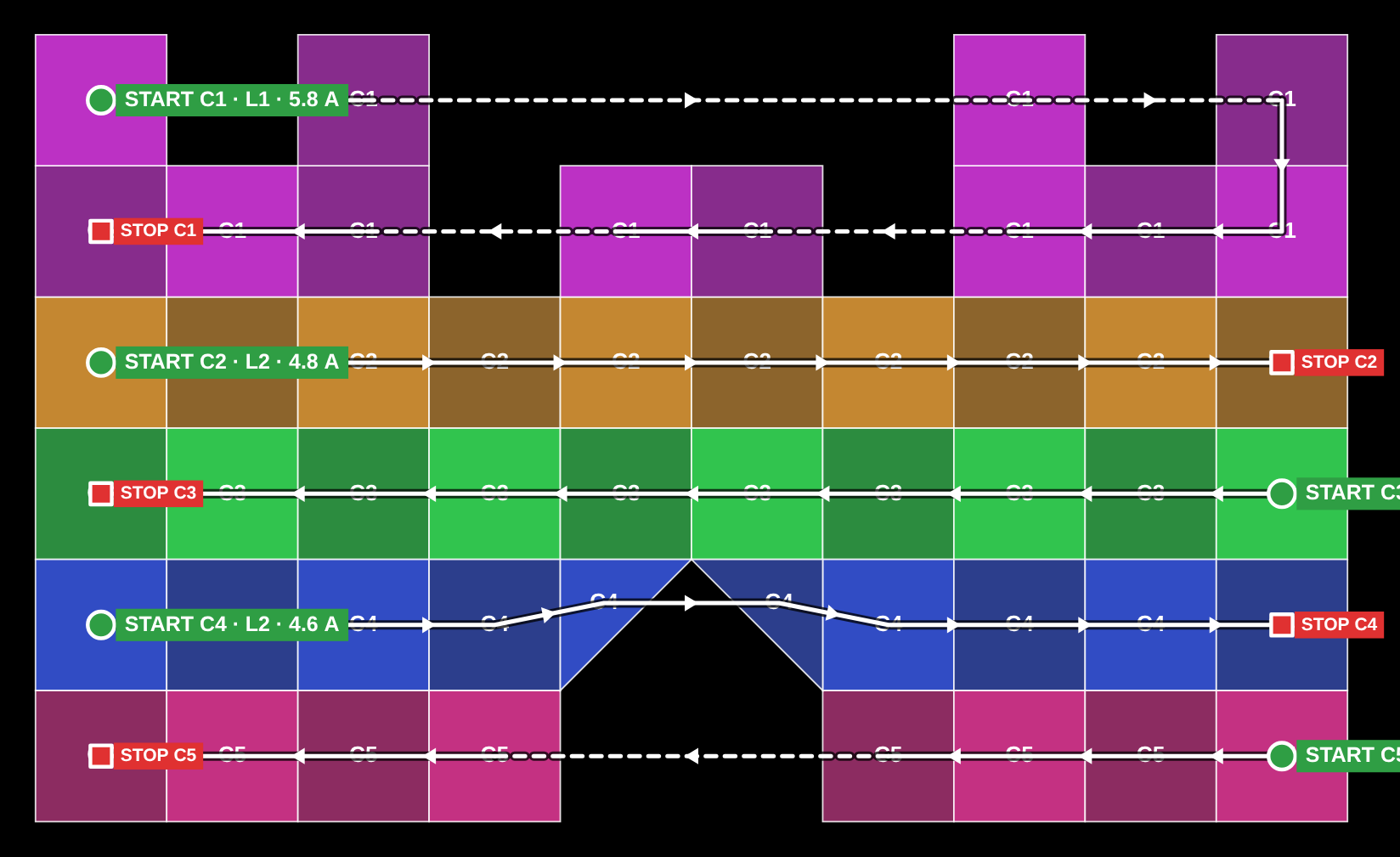
Castle, power view from LEDraw
Power: each circuit, with its phase and current
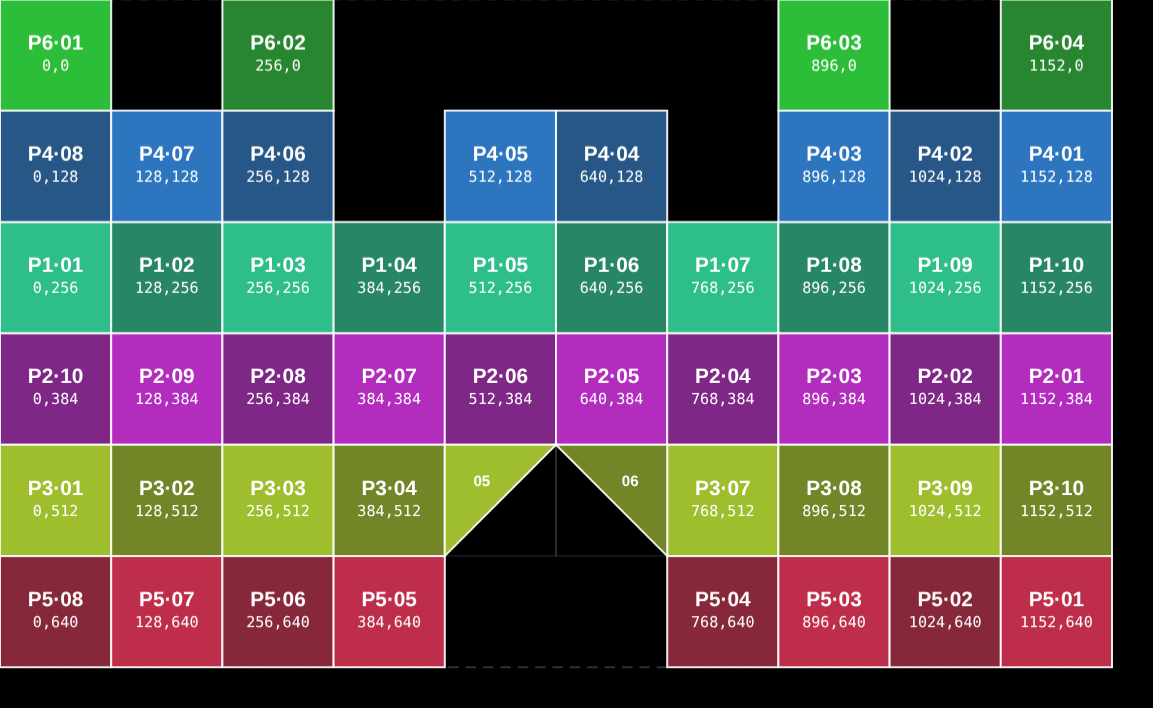
Castle, pixel map view from LEDraw
Pixel map: port, order and position of every cabinet

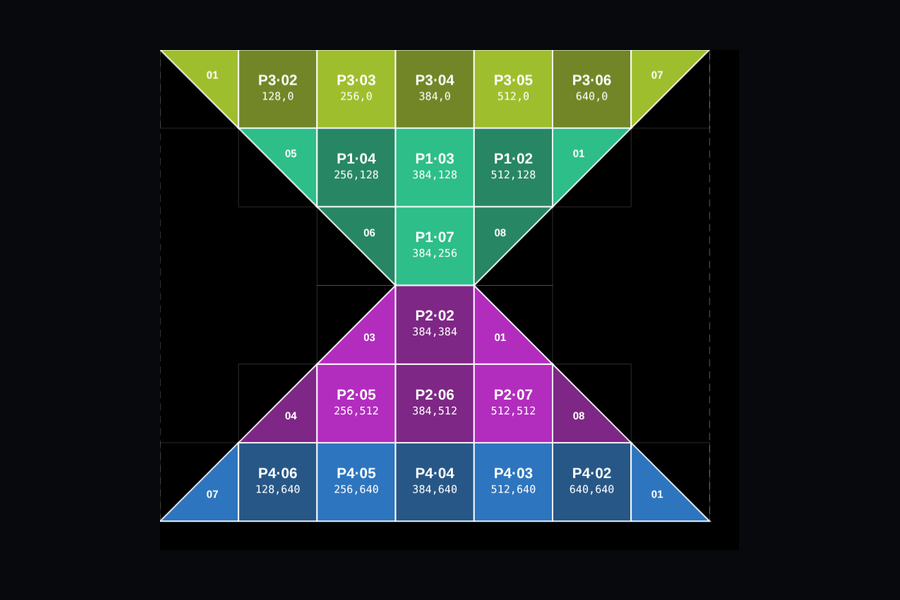
Hourglass · the whole project, as LEDraw built it

Close ×

350 × 300 cm

Size

896 × 768 px

Resolution

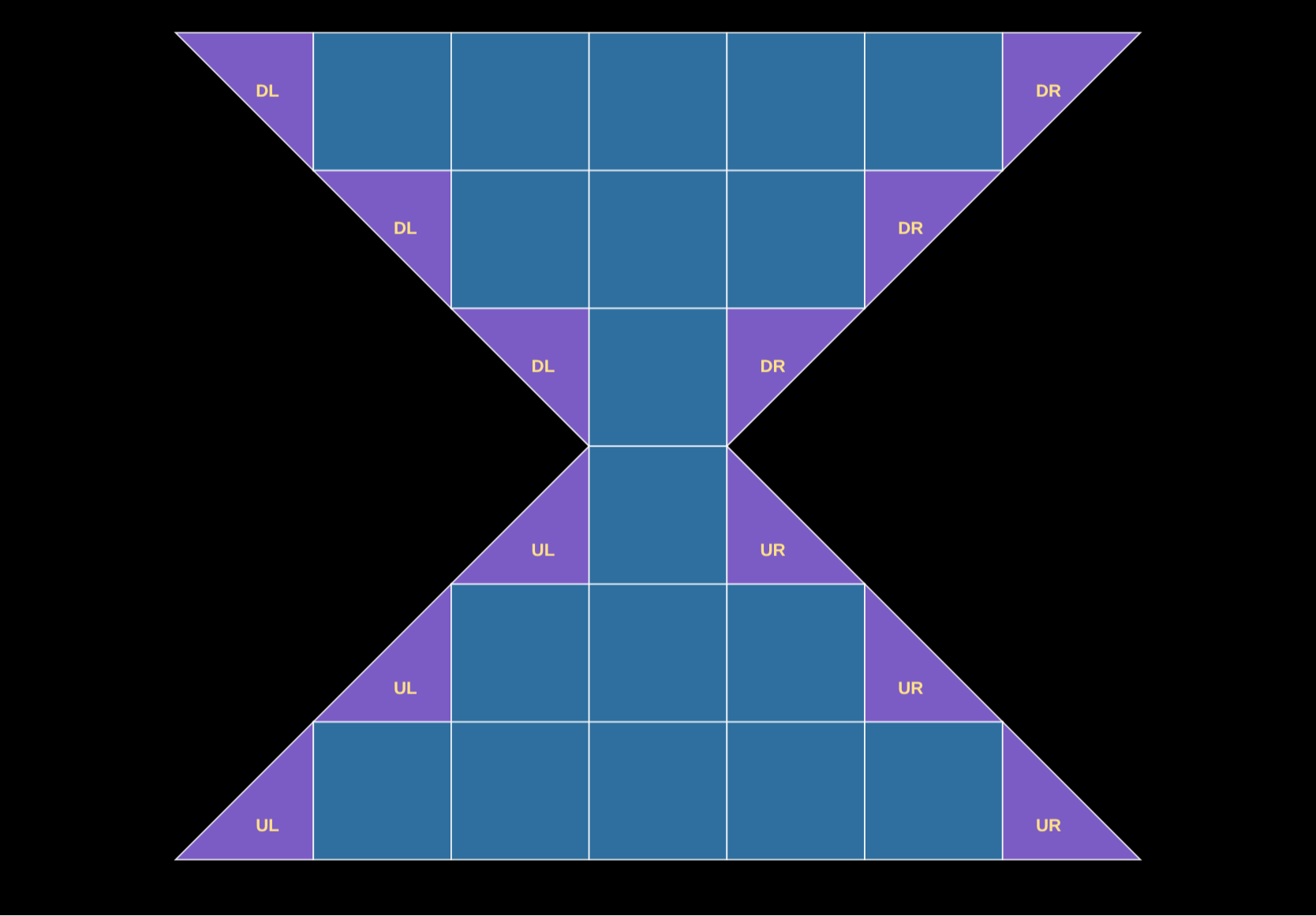
18 square · 12 triangle

Pieces

4

Data ports

3

Power circuits

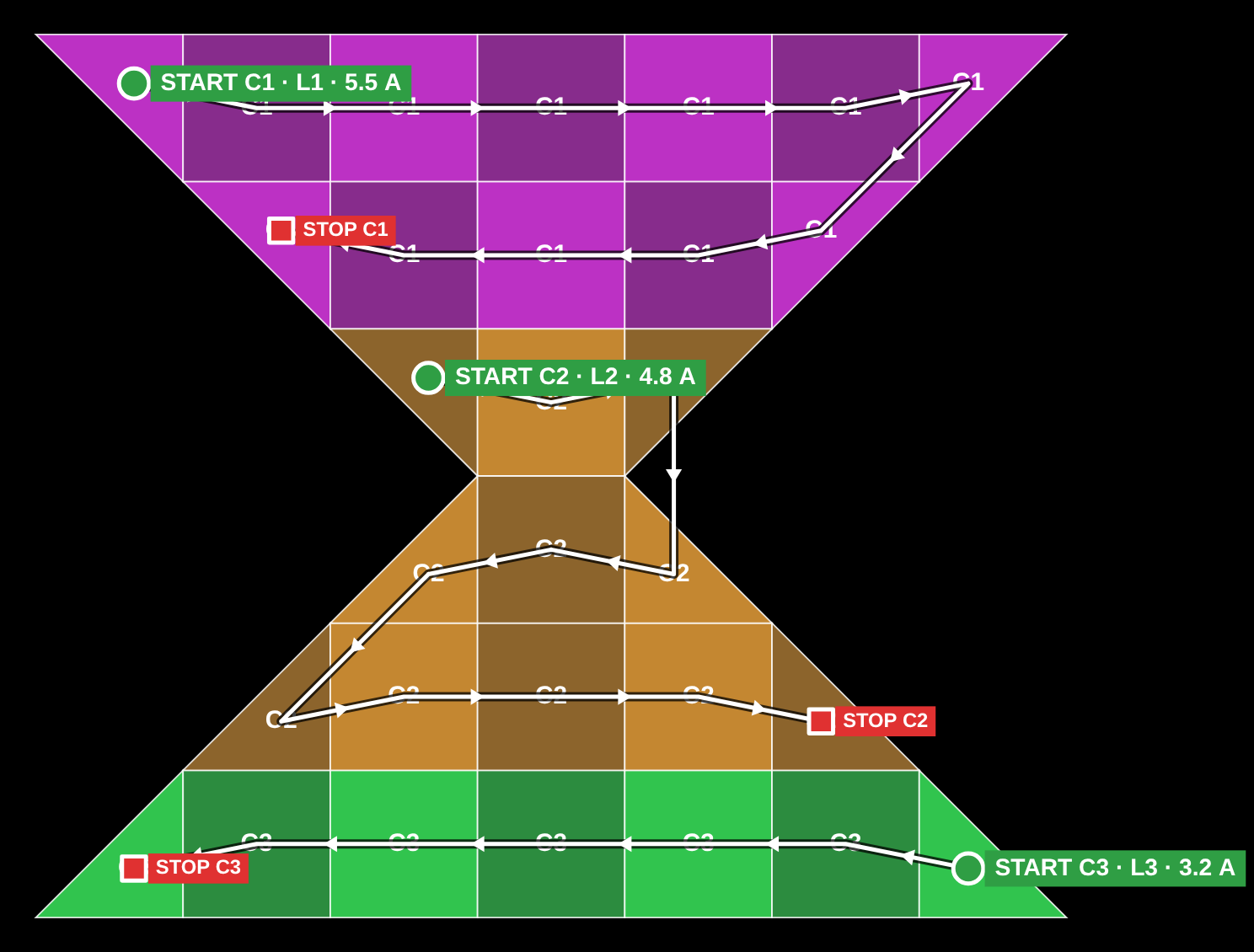
5.5 / 4.8 / 3.2 A

Phases

2.9 kW

Max power

172 kg

Weight

Hourglass, design view from LEDraw
Design: every piece and its orientation
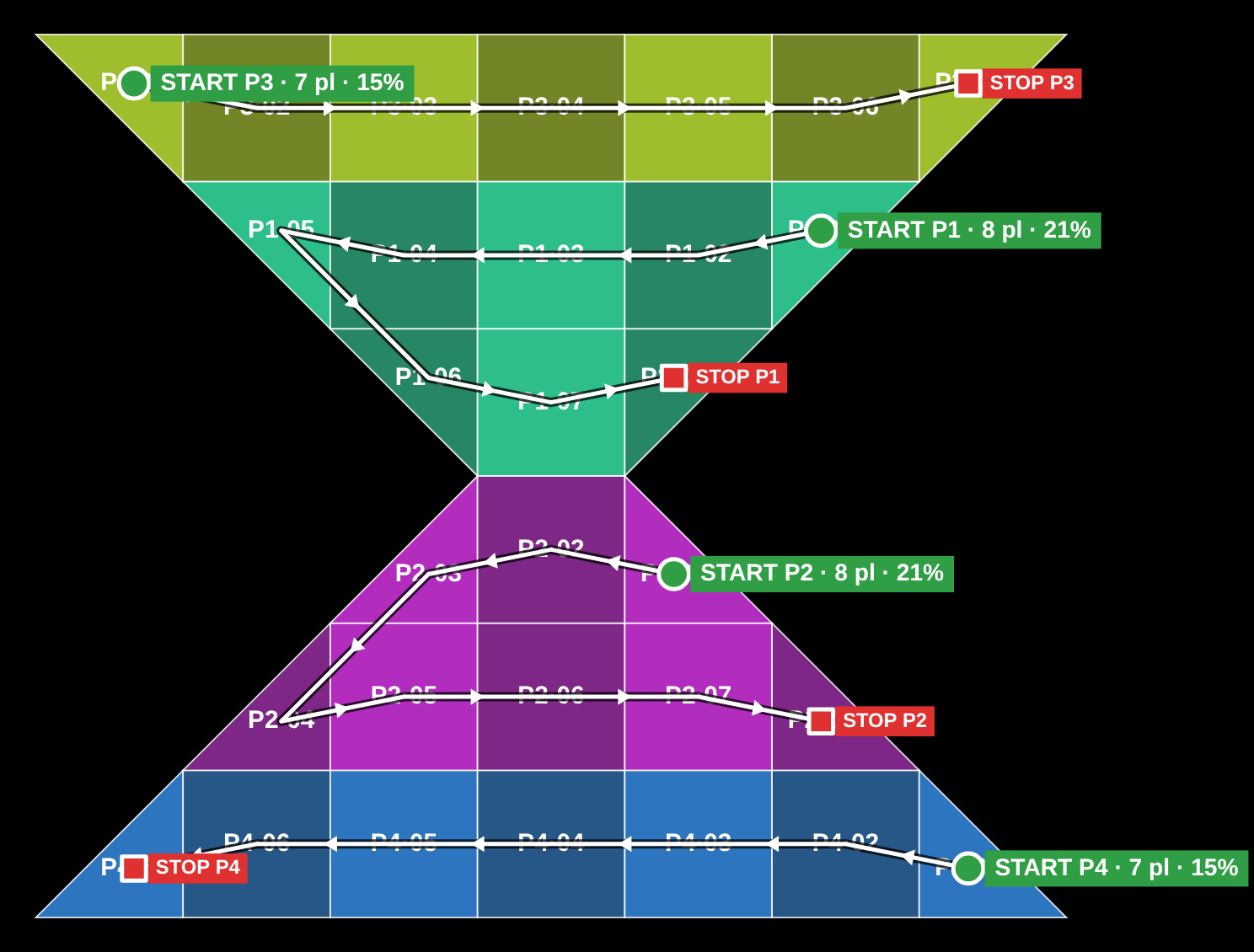
Hourglass, signal view from LEDraw
Signal: each data port from START to STOP
Hourglass, power view from LEDraw
Power: each circuit, with its phase and current
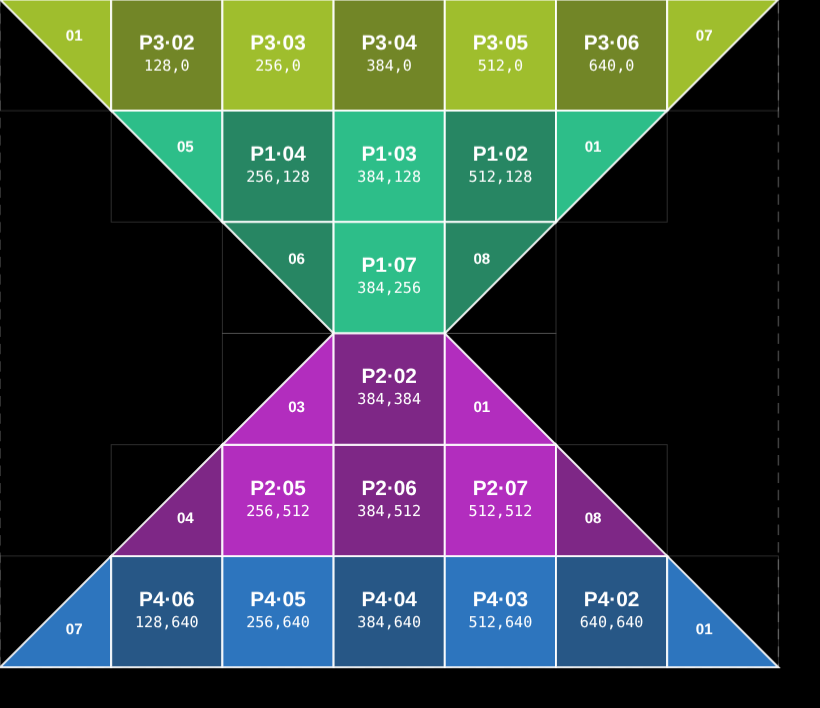
Hourglass, pixel map view from LEDraw
Pixel map: port, order and position of every cabinet

Crown · the whole project, as LEDraw built it

Close ×

454 × 333 cm

Size

1152 × 1152 px

Resolution

26 square · 21 special

Pieces

3

Data ports

6

Power circuits

6.4 kW

Max power

255 kg

Weight

Crown, design view from LEDraw
Design: every piece and its orientation
Crown, signal view from LEDraw
Signal: each data port from START to STOP
Crown, power view from LEDraw
Power: each circuit, with its phase and current
Crown, pixel map view from LEDraw
Pixel map: port, order and position of every cabinet

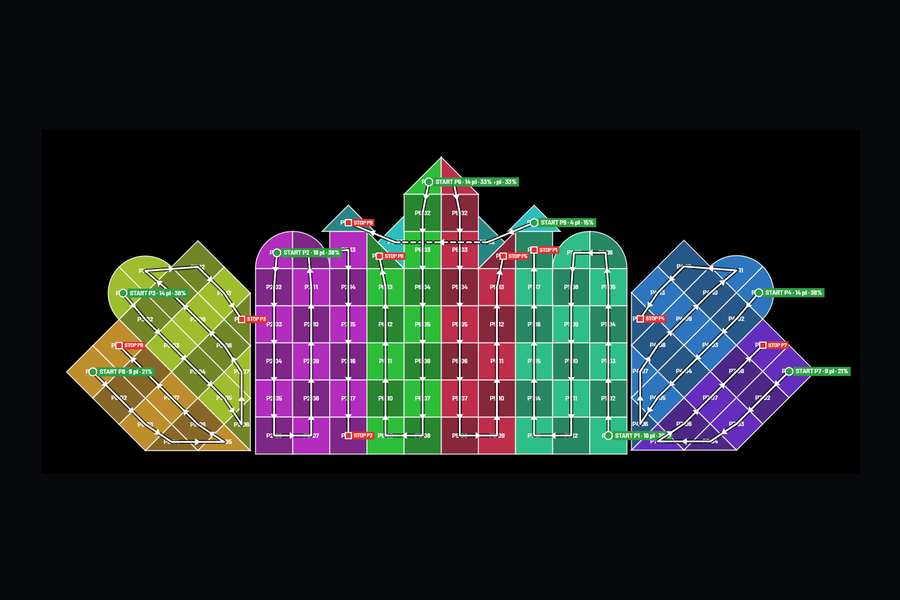
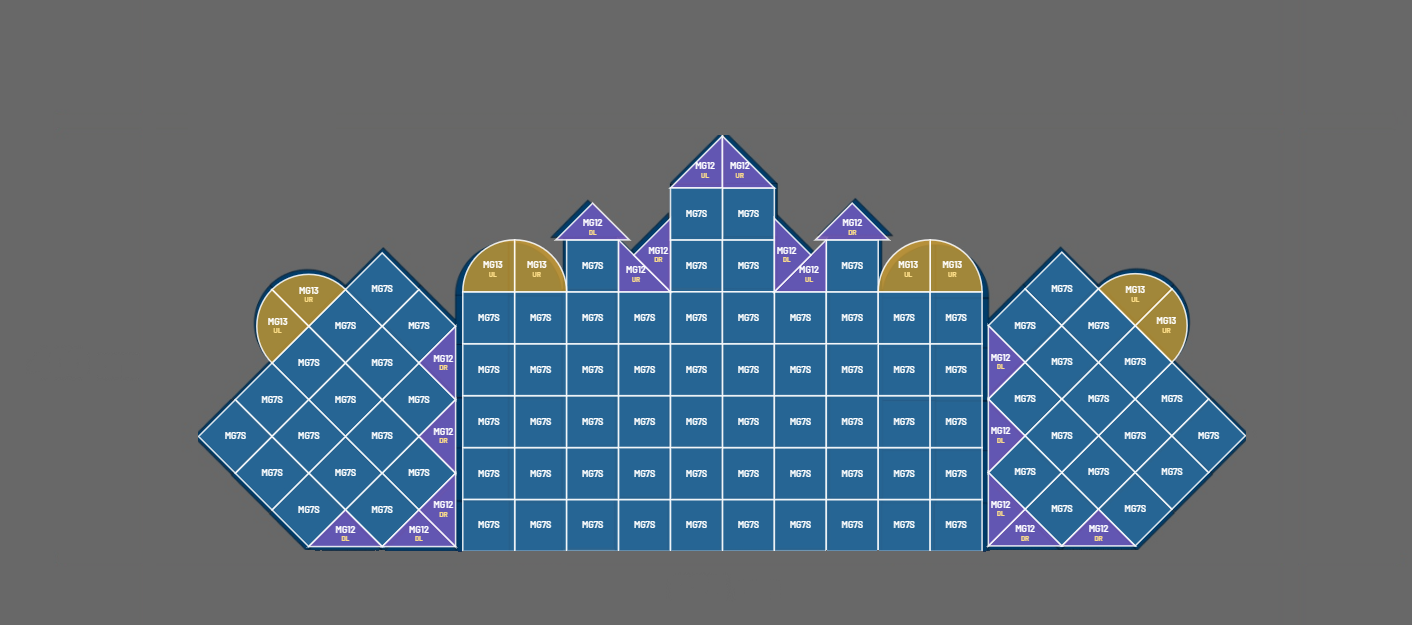
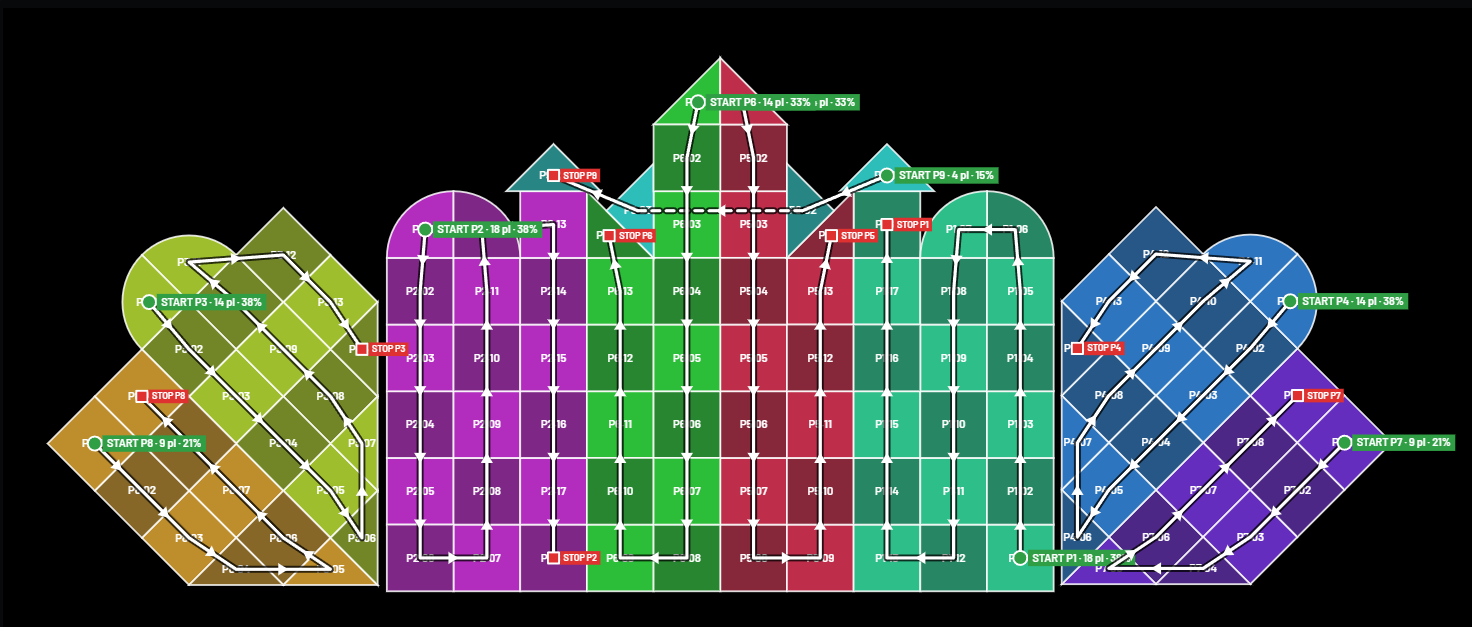
Palace · the whole project, as LEDraw built it

Close ×

925 × 400 cm

Size

9

Data ports

38 %

Max port load

10

Power circuits

Palace, design view from LEDraw
Design: every piece and its orientation
Palace, signal view from LEDraw
Signal: each data port from START to STOP
Palace, power view from LEDraw
Power: each circuit, with its phase and current
Palace, pixel map view from LEDraw
Pixel map: port, order and position of every cabinet

How it works

Three steps, one screen.

1

Photograph the sketch

A drawing made on a computer, a pen sketch on paper or the client's render. Type one real size and pick your cabinets. LEDraw finds the outline and fills it with whole cabinets and the right filler pieces.

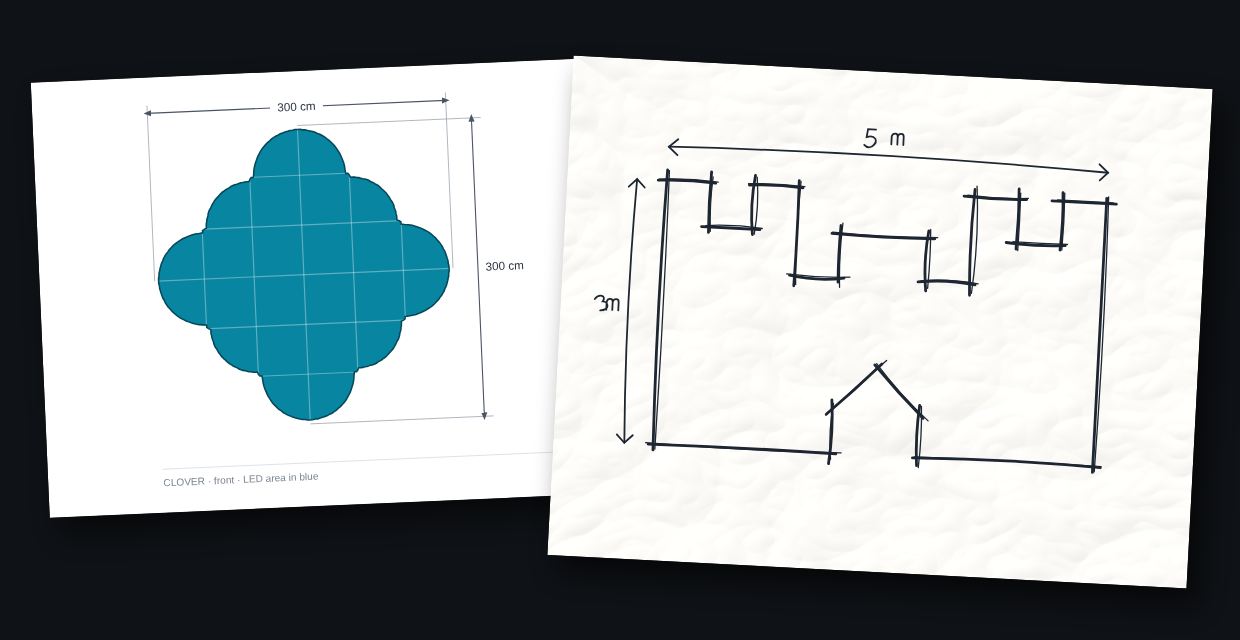
Two sketches: a clover drawn on a computer with its 300 cm sizes, and a castle drawn by hand in pen on paper, 5 m by 3 m
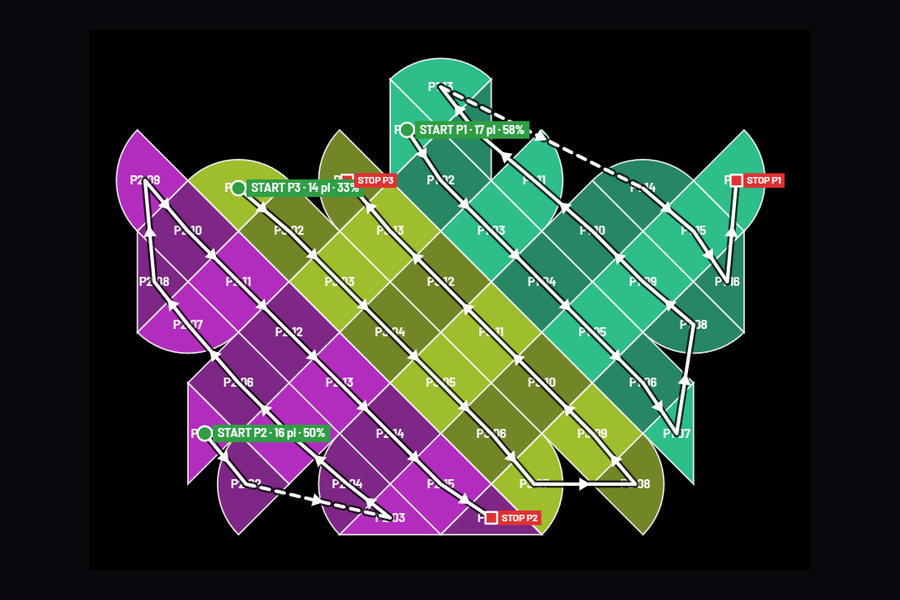
Signal on an hourglass screen: each port runs back and forth across the rows, from a green START to a red STOP
2

Check signal and power

LEDraw plans every data port and every power circuit and draws them on the real shape, from START to STOP. Click any piece to change it and the cabling follows.

3

Export and light it

The controller file with every cabinet placed on the pixel map, the pixel map image, the signal and power drawings and the cabinet list. Several screens from one photo sit side by side, with no gaps.

Pixel map of a castle-shaped screen, each cabinet labelled with port, order and position

Features

Built around the pieces you actually hang.

Reads any sketch

Up to five LED colours in one drawing, pen outlines, hatching, sketches on a module grid.

Special pieces, named right

Triangles and quarter circles get the variant you mount and the rotation for the receiving card.

Cabling drawings

Signal and power drawn on the real shape, port by port and circuit by circuit, ready to print for the crew.

Power planned

Circuits and distros worked out for you, with the current on every phase.

Many screens, one photo

Select each surface, or split front and background by colour. Different pixel pitches on the same canvas.

Everything exported

Controller file, pixel map, signal and power drawings, mounting list and bill of materials.

Made by an LED crew, not a software house.

Fifteen years of building screens on the road went into how LEDraw plans a screen. It does the part we got tired of doing by hand, so the crew gets clear drawings and the show gets a screen that lights up right the first time. Built in Romania.

Partners

For manufacturers and distributors.

Building LED cabinets, distributing controllers or running a rental fleet? LEDraw can ship alongside your hardware and make creative screens easier to sell and faster to set up. We are open to partnerships and integrations. Write to victor@ledraw.app.

Early access

Test it on your next build.

We are opening early access to a small group of rental companies, integrators and installation crews. Testers get a personal build and sign a short test agreement. Fill in the form and we will get back to you by email.

Prefer email? Write to victor@ledraw.app

Questions

What does LEDraw do?

It turns a sketch, a photo or a client render into a complete LED screen plan: cabinets and special pieces, pixel map, signal and power cabling, and the controller files.

Which controllers does it work with?

NovaStar controllers. So far we have tested it on MCTRL4K, MCTRL R5, MCTRL660, VX4S and VX2000 Pro.

Do I still need the controller software?

Calibration stays in the controller software. LEDraw prepares the layout, the cabling and the controller files.

Can I use my own cabinets?

Yes. Add any cabinet with its size in centimetres and pixels, its weight and its power.

Does it work without internet at the venue?

Yes. LEDraw runs on your laptop and needs no connection at the venue.

When can I get it?

LEDraw is in early access. Write to us and you will be among the first to know when it is available.